A die-cut border, the same width on every sticker.
Add the white outline printed stickers have. It follows the artwork’s exact shape, comes out identical across a whole set, and can be any colour you like. Works on entire sticker sheets, not one image at a time.
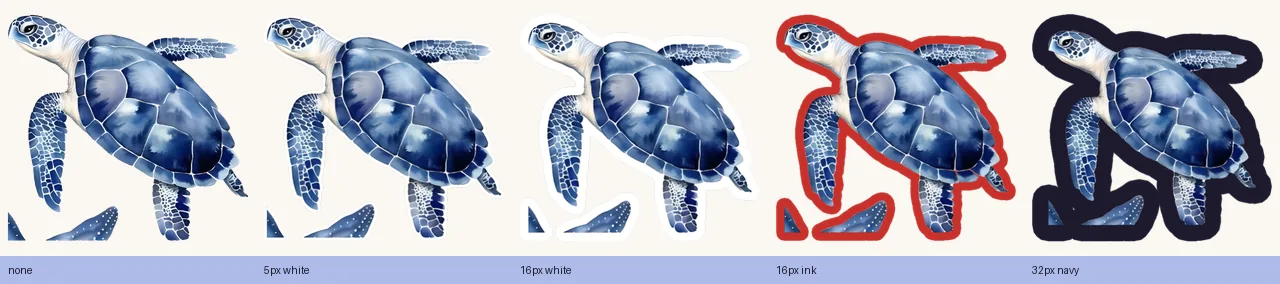
Follows the shape
The border is an exact offset of the artwork's outline — not a rectangle, not a blur — so curves and points keep their character.
Same width across a set
Width is measured on the final canvas, so a small sticker and a large one from the same sheet get identical borders instead of hairline versus band.
Any colour, previewed first
White, cream, a matching tone or anything else. A live preview shows how the width will treat the artwork before you spend a credit.
Questions people ask
- What is a die-cut border on a sticker?
- The white margin printed stickers have around the artwork. It is an even offset of the outline — every point on the border is the same distance from the artwork's edge — which is what a cutting machine follows. On a digital sticker it does the same visual job: it separates the sticker from whatever it is placed on.
- Why does my border look thick on some stickers and thin on others?
- Because it was measured in the source image's pixels, and stickers on a sheet are captured at very different resolutions. The same setting can render as a hairline on a large sticker and a fat band on a small one. Measuring the border in output pixels — on the final canvas — gives every sticker the same width.
- Can the border be a colour other than white?
- Yes. Any colour can be used; white and cream suit most artwork, and a dark or matching-colour border works well on light backgrounds.
- Does a thick border change the shape of the sticker?
- It can. Because the border is an even offset, any two parts of the artwork closer together than twice the border width get bridged, and narrow gaps fill in. Thin borders keep detail; thick ones round it off. Preview before processing shows this.